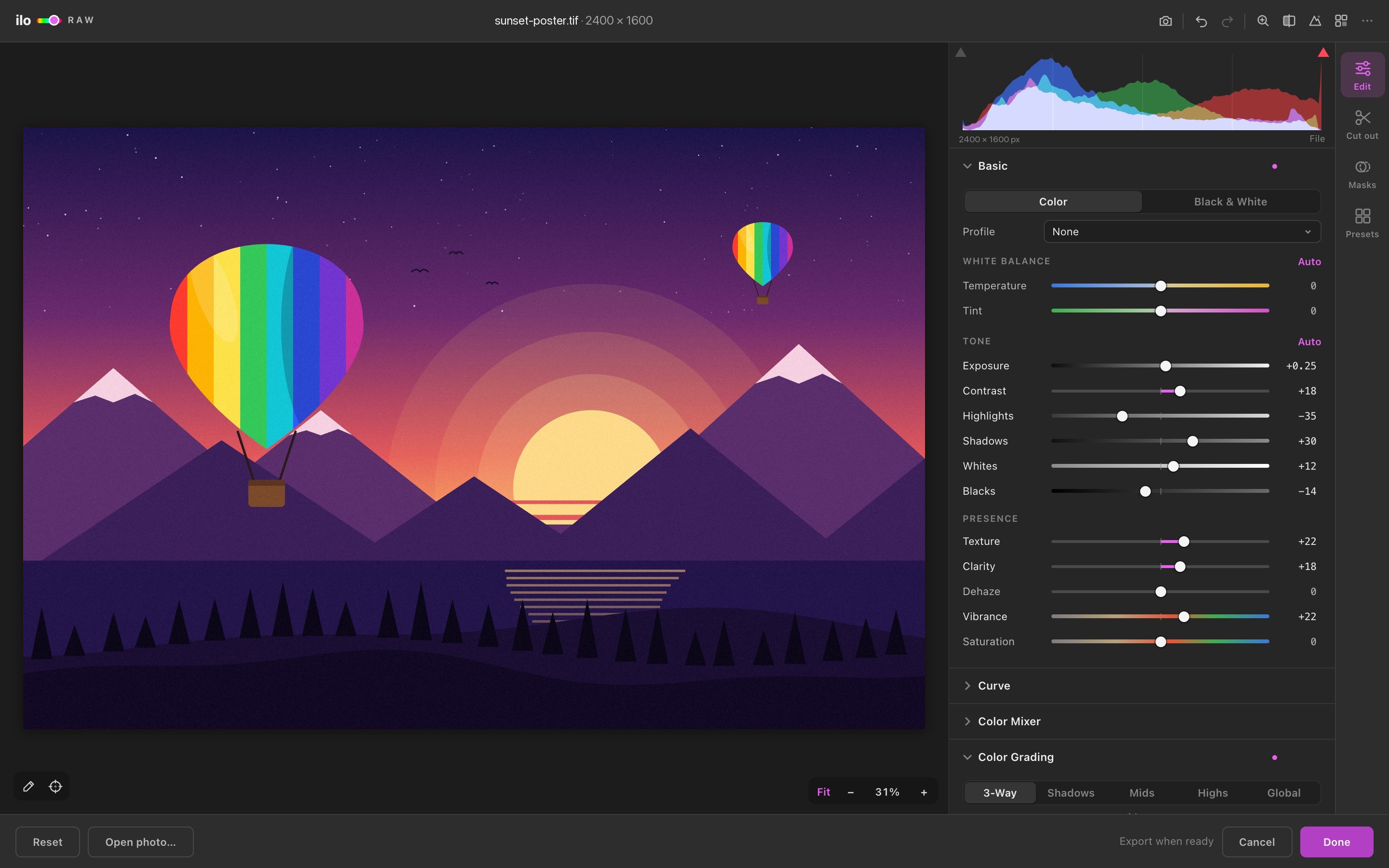
Basic
White balance with picker and Auto, Exposure, Contrast, Highlights, Shadows, Whites, Blacks, Texture, Clarity, Dehaze, Vibrance, Saturation, Color / Black & White, and .cube Profiles with amount.
ILO RAW · 1.0
A full Camera Raw developer that opens in its own window inside Adobe Illustrator. It works on placed and embedded photos, straight RAW files — and on your vector artwork, with the same controls.
5-day free trial — download it, open it in Illustrator and press Start the free trial. No card, no key.
WORKFLOW
A placed photo, an embedded image, a RAW file you open from disk, vector artwork — or all of them at once.
Big preview, live histogram, before/after, zoom to 100% — every slider responds instantly on the GPU.
The image goes back exactly where it was — same size, rotation and clipping. Select it again next week and continue.
EVERYTHING INSIDE
White balance with picker and Auto, Exposure, Contrast, Highlights, Shadows, Whites, Blacks, Texture, Clarity, Dehaze, Vibrance, Saturation, Color / Black & White, and .cube Profiles with amount.
Parametric curve you drag directly on the graph, plus point curves for RGB, Red, Green and Blue — with the histogram behind it.
Hue, Saturation and Luminance for eight color bands, a targeted-adjustment tool you drag right on the photo, and Point Color for precise shifts of any sampled color.
Shadows, Midtones, Highlights and Global wheels with luminance, Blending and Balance — in a perceptual color space, so grades stay clean.
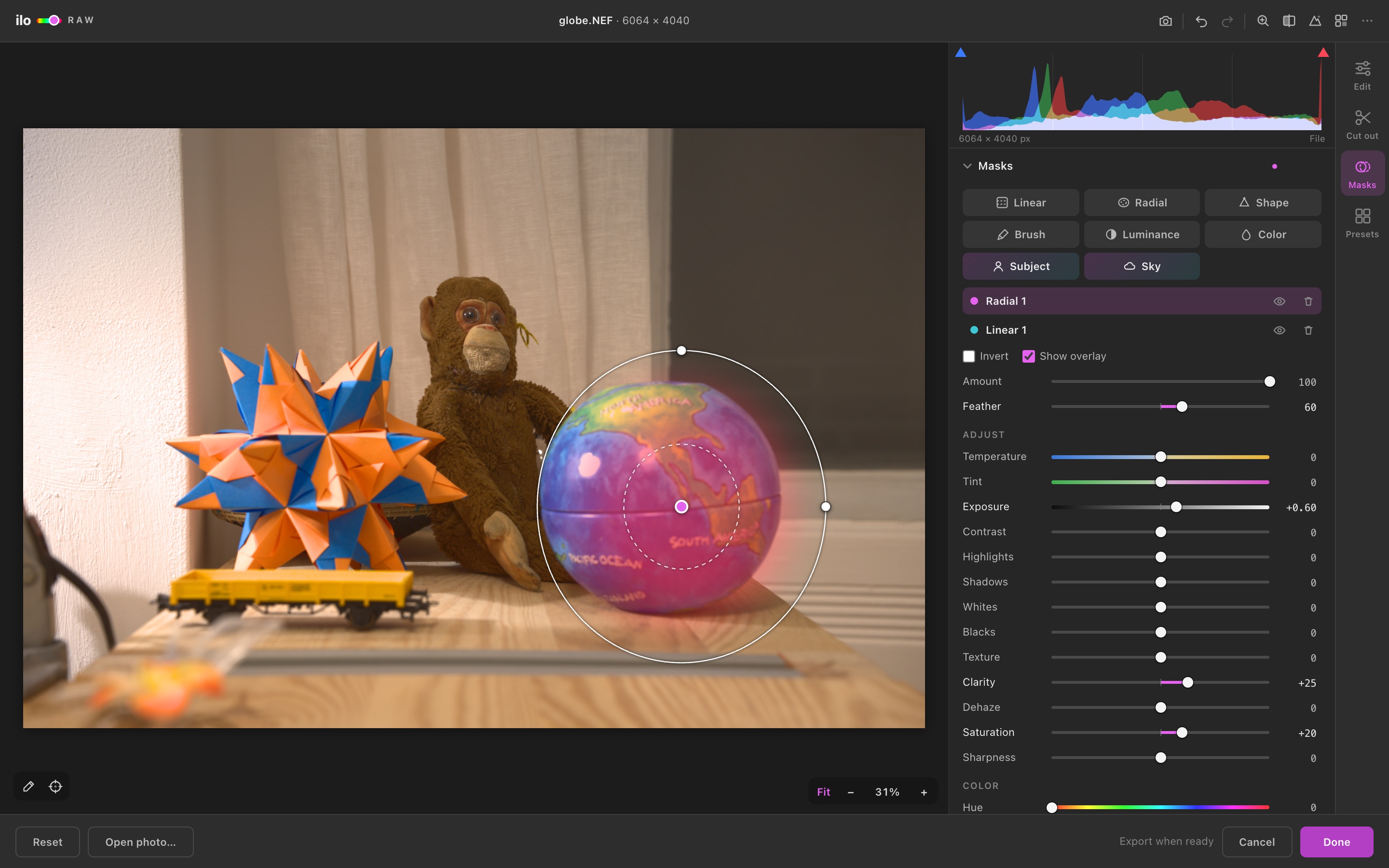
Linear, Radial, Brush, Luminance range, Color range, AI Subject, AI Sky — and Shape: any Illustrator path becomes a mask. Up to four per image, each with its own 15 adjustments.
Remove the background using Photoshop’s own engine when it’s installed, or the built-in quick AI. Refine, shift and feather the edge; export a transparent PNG.
Sharpening with radius and edge masking, plus luminance and color noise reduction that keeps real detail.
Lens distortion, vignetting, chromatic aberration and defringe. Vertical and horizontal perspective, rotate, aspect, scale and offset with a grid.
Post-crop vignette, film grain with size and roughness, and red / green / blue primary calibration with shadow tint.
Pull the photo toward your document swatches or the colors of selected artwork — so photos live inside the illustration’s palette.
Spot duotones as two grayscale plates colored with your real spot swatches, set to overprint — ready for screen print and offset.
19 built-in looks previewed on your own photo, your own presets, .cube LUT import, and export of any look as a .cube for Photoshop, Premiere or Resolve.
ONLY IN ILLUSTRATOR
Select photos and vector art together and they take the same grade. Fills, strokes, gradients — even each letter of multi-colored text — follow the look, and can always go back to their original colors.
RAW FILES
Illustrator can’t place RAW files. Ilo Raw can. It shows the camera preview instantly, decodes the full sensor data in the background, and places the developed photo on your artboard — linked to the RAW, re-editable any time. Also opens JPG, PNG, TIFF, PSD, PDF, WebP, AVIF and HEIC.
REQUIREMENTS
PRICING